Not a feature Request:
Workaround for using an individual working folder by creating a symbolic link to a directory
- Open Explorer - go to %appdata%\Cakedesk
- Copy everything inside this Folder to a folder of your choice AND copy it once more to another folder as a backup
- Go Back to %appdata%\Cakedesk
- Click in the Adress-field and copy the now shown path into your clipboard (strg+C)
- Delete now the %appdata%\Cakedesk - folder
- Press WIN+R
- type cmd [ENTER]
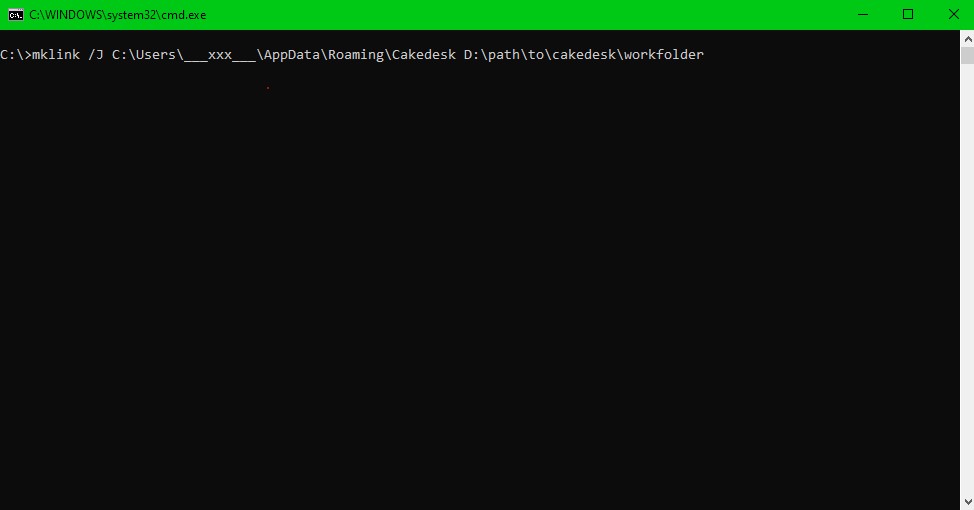
- type mklink /J [strg+V] D:\folder\of\your\choice [ENTER]
(by pressing strg+V a string similar to "C:\Users\___xxx___\AppData\Roaming\Cakedesk" should appear, where the "___xxx___" part is your username of the computer)
"D:\folder\of\your\choice" shall be replaced by the path of your desired workfolder (the one where you earlier copied all the Data from %appdata%\Cakedesk)
the foldernames can't have spaces or special characters, therefore you can't enter "%appdata%\Cakedesk" directly.
the target folder, can't have charakters like "="... just use letters and numbers
now you've created an symbolic link between the now virtual %appdata%\Cakedesk folder and the new workfolder.
the actual data is in the new directory, but it is made available virtually in the old directory