
Dec 3
Define your own work-folder (Windows workaround)
Not a feature Request:
Workaround for using an individual working folder by creating a symbolic link to a directory
- Open Explorer - go to %appdata%\Cakedesk
- Copy everything inside this Folder to a folder of your choice AND copy it once more to another folder as a backup
- Go Back to %appdata%\Cakedesk
- Click in the Adress-field and copy the now shown path into your clipboard (strg+C)
- Delete now the %appdata%\Cakedesk - folder
- Press WIN+R
- type cmd [ENTER]
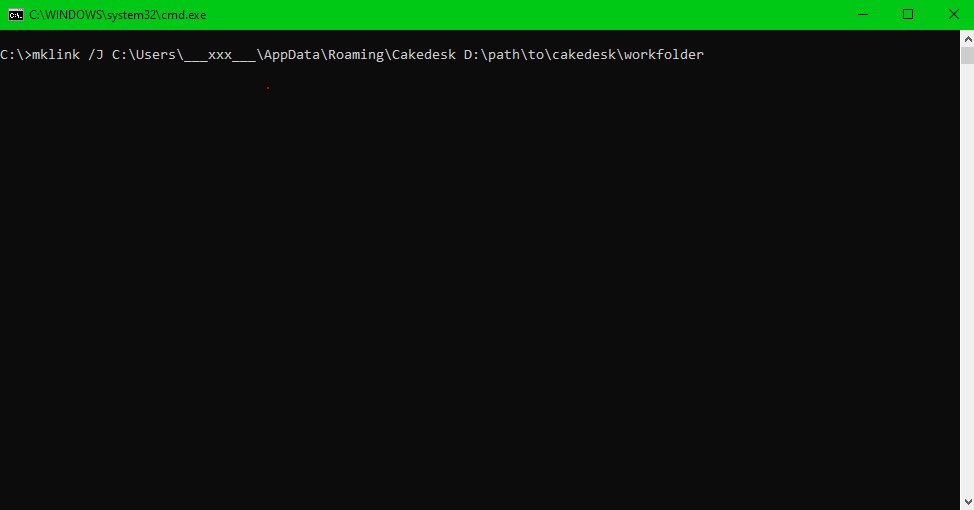
- type mklink /J [strg+V] D:\folder\of\your\choice [ENTER]
(by pressing strg+V a string similar to "C:\Users\___xxx___\AppData\Roaming\Cakedesk" should appear, where the "___xxx___" part is your username of the computer)
"D:\folder\of\your\choice" shall be replaced by the path of your desired workfolder (the one where you earlier copied all the Data from %appdata%\Cakedesk)
the foldernames can't have spaces or special characters, therefore you can't enter "%appdata%\Cakedesk" directly.
the target folder, can't have charakters like "="... just use letters and numbers
now you've created an symbolic link between the now virtual %appdata%\Cakedesk folder and the new workfolder.
the actual data is in the new directory, but it is made available virtually in the old directory
Closed
Closing this workaround because it causes issues with PDF generation